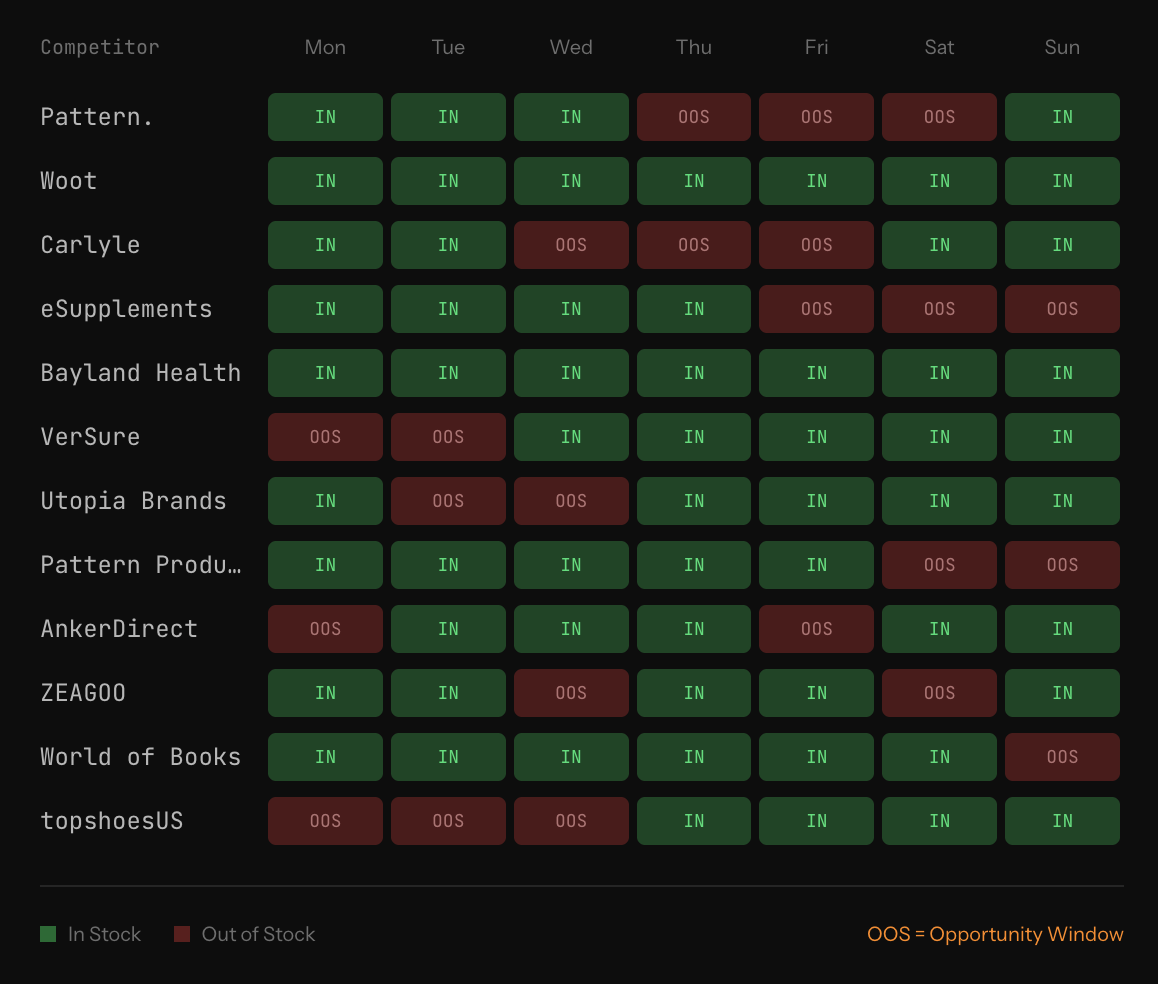
Every time a competitor goes out of stock on Amazon, something predictable happens: their Buy Box share disappears, their organic rank starts to decay, and customers who were about to buy their product now need to buy someone else's. If you are positioned correctly with inventory and pricing, that someone is you.
Most sellers miss these windows entirely because they are not monitoring competitor inventory in real time. By the time a stockout becomes obvious from a sales spike, the competitor has already restocked and the opportunity has closed.
Why stockout windows matter
The revenue impact of a competitor stockout depends on two factors: how long the stockout lasts and how much demand was flowing to that ASIN. For high-velocity listings, even a 48-hour stockout can represent thousands of units of redirected demand. For the seller who captures it, that is not just incremental revenue — it is also organic rank improvement, review accumulation, and conversion rate data that compounds over time.
The sellers who consistently capture competitor stockout windows are the ones who have automated detection and a pre-planned response. Manual monitoring simply does not move fast enough.
How to detect competitor stockouts
Asgard's offers endpoint returns current seller offer data for any ASIN, including whether offers are in stock. By polling this endpoint for your target competitor ASINs on a regular cadence, you can detect the moment a key seller goes OOS.
The detection logic is straightforward:
- Poll competitor offers for tracked ASINs every 30–60 minutes.
- Flag any seller who was previously in-stock and now has no active offer or shows OOS status.
- Cross-reference with Buy Box data — if the OOS seller was the Buy Box holder, the opportunity is higher priority.
- Alert your team or trigger automated response rules.
What to do when a stockout is detected
The response depends on your position relative to the competitor:
- If you are already ranking well for the same keywords — This is the best scenario. Increase PPC bids on the competitor's brand terms and main keywords to capture the redirected search traffic. Customers who searched for the competitor's product will now see yours.
- If you are ranking but not winning the Buy Box — Reprice to the Buy Box floor to capture the volume spike while it lasts. Even a temporary margin reduction is worth it for the sales velocity and rank lift.
- If you have inventory depth — This is the moment to push. High-velocity periods during a competitor stockout are when rank gains are most durable. Sales velocity is the strongest organic rank signal.
Tracking stockout patterns over time
Beyond individual windows, historical stockout data reveals patterns. Some competitors run lean on inventory and stock out predictably around holidays, Prime Day, or after product launches. Others have supply chain constraints that create recurring gaps at the same time each month.
If you can identify these patterns from historical offer data, you can pre-position: increase your own inventory ahead of the window, set automated repricing rules to activate, and queue up PPC budget increases to deploy when the stockout is detected.
The sellers who do this consistently do not just win individual stockout windows — they structurally grow their organic rank and market share over time, using competitor inventory failures as a predictable growth lever.