Want to know how your product ranks on Amazon search results? The Amazon Keyword Rank Checker is a free, no-signup tool that helps you find your product's position for any keyword on Amazon. Just enter your product's ASIN and a keyword to see its rank, page number, and position in organic search results — and unlike most rank checkers, it also shows you how that rank changes between mobile and desktop and across US zip codes.
Why use it?
- Track performance: measure how well your product ranks for specific keywords.
- Optimize listings: identify keyword gaps and refine your titles, bullets, or backend terms.
- Quick insights: get live results in seconds without creating an account.
- Catch what others miss: see mobile vs desktop gaps and geo differences that a single national rank hides.
How it works
- Enter your product's ASIN and a keyword.
- Pick a US location (zip code) and let it check both mobile and desktop.
- Run the check to see your organic rank, sponsored rank, and page position.
The tool is powered by the Asgard Amazon API, ensuring accurate, real-time data. Whether you're a seller or managing multiple ASINs, it simplifies tracking keyword performance to improve your product's visibility on Amazon.
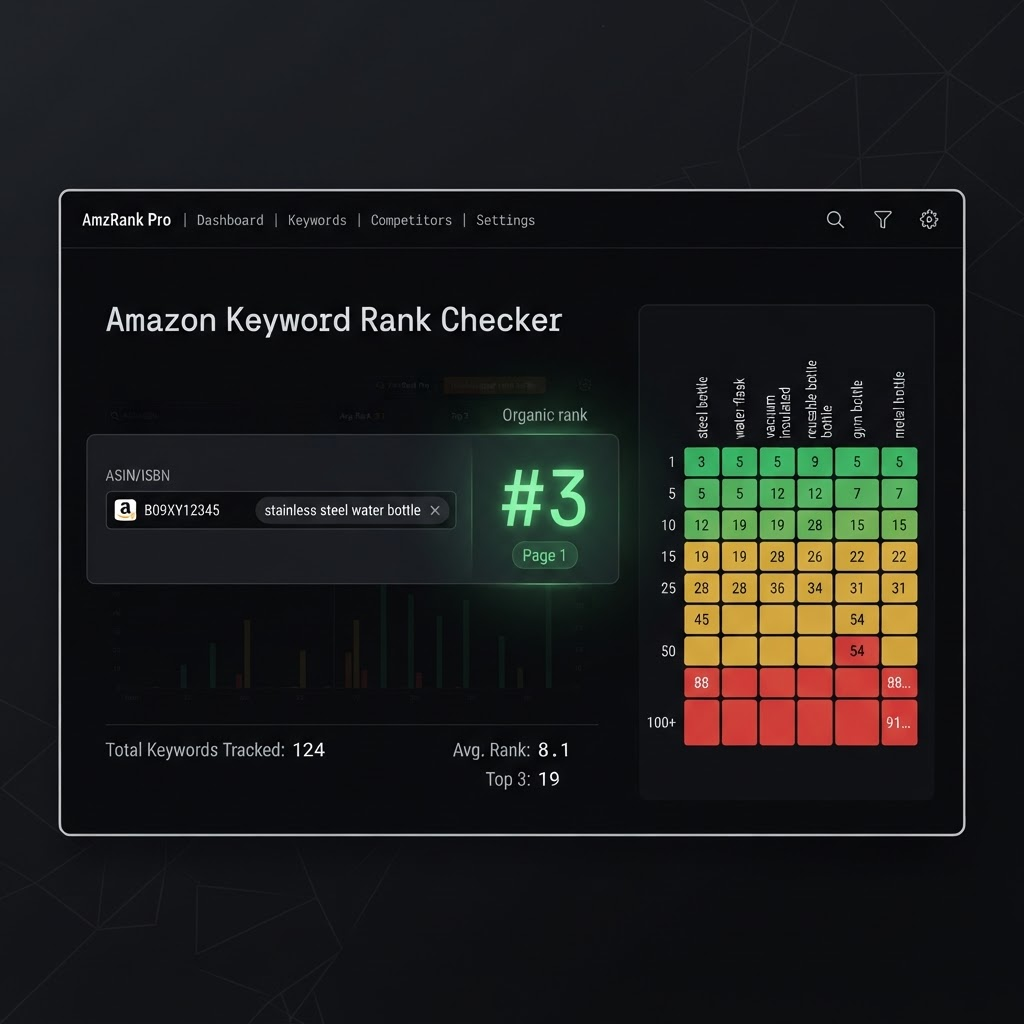
How the Amazon Keyword Rank Checker works
How ranking data is retrieved
When you provide an ASIN and a keyword, the tool mimics a shopper's search on Amazon and scans the results to locate your product. Each ASIN–keyword pair is analyzed individually to pinpoint the product's organic search position. This approach ensures accurate data collection and delivers live results powered by the Asgard Amazon API.
It separates organic from sponsored placements, so you get a true measure of your product's SEO performance without any distortion from paid rankings. The tool reviews the first page of results — where the majority of customer clicks happen. If your ASIN doesn't appear, it's marked as "not on page 1", signaling that your product lacks visibility for that keyword.
Once your ASIN is identified, the tool provides the key pieces of data: your organic rank, your sponsored rank, and your position — on both mobile and desktop. This breakdown helps you understand exactly where your product stands in the customer journey.
The Asgard API's role in the tool
The real-time data retrieval is powered by the Asgard Amazon API. Instead of scraping Amazon's HTML yourself, the rank checker sends a live request to Asgard's Amazon search endpoint each time you run a query. The API processes the search, retrieves Amazon's results, and returns a structured JSON response with product ASINs, positions, sponsored flags, prices, ratings, and other metadata. The tool then filters this data to present the rank details you see.
The same production API powers this free tool, meaning the data displayed in your browser is identical to what you can access programmatically for your own projects.
How to use the free keyword rank checker
Accessing the tool
To get started, open the free Amazon Keyword Rank Tracker. No need to create an account, log in, or download anything — everything happens right in your browser.
Inputting ASINs and keywords
An ASIN is Amazon's unique 10-character identifier for each product. You can find it in the product URL — for instance, in amazon.com/dp/B09XY12345, the ASIN is B09XY12345.
For the keyword, input the exact phrase a shopper would search. Then pick the US location (zip code) you want to check, since rankings are region-specific — an ASIN's performance in one city can differ from another.
Key data fields explained
| Data field | What it shows | How to use it |
|---|---|---|
| Keyword phrase | The exact search term you entered (e.g. "stainless steel water bottle") | Confirm it aligns with the terms real shoppers use. |
| Organic rank | Your ASIN's placement in organic results (e.g. 3, 17, 54) | Lower is better. Top spots (1–3) capture the majority of clicks; lower ranks see far less engagement. |
| Sponsored rank | Where the ASIN appears in paid placements, if at all | Separate ad visibility from true SEO so you don't confuse the two. |
| Page number | The results page where your product appears | Page 1 is critical — around 70% of Amazon shoppers don't go beyond it. |
| Mobile vs desktop | The rank on each device for the same query | A product on page 1 desktop can sit on page 2 mobile — where most traffic actually is. |
Among these, organic rank is the most precise metric for tracking visibility. The page number gives a quick overview ("we're on page 2"), but the rank position lets you monitor specific improvements, such as moving from #38 to #19 after updating your listing.
What rank positions and pages tell you
If your ASIN ranks between positions 20 and 80 for a keyword, that's often a signal of untapped potential — improving your title, bullet points, or sales velocity could push the listing onto page 1, where most engagement happens. If a keyword isn't ranking at all, update your listing (title, bullets, backend search terms) and re-check in 24–48 hours to see if the changes take effect.
Tracking keyword performance over time
A single check gives you a snapshot; consistent tracking tells the story. For the best results, record rankings over three consecutive days before making any updates — that "before" data is your benchmark. After a listing change, wait 24–48 hours and compare against the baseline. Moving from #42 to #18 is a clear win; no change or a decline means it's time to revisit your copy or keyword placement.
Automating rank checks with the Asgard API
Manual checks are fine for a handful of ASINs, but they become impractical for larger catalogs. That's where automation comes in. The Asgard Amazon API returns real-time keyword ranking data — positions, ASINs, prices, ratings — in structured JSON, making it easy to pull into spreadsheets, dashboards, or a database.
Here's a simple example hitting the Amazon search endpoint:
const res = await fetch(
  "https://api.asgardata.com/amazon/search?" +
  new URLSearchParams({ keyword: "stainless steel water bottle", country: "US" }),
  { headers: { Authorization: "Bearer YOUR_API_KEY" } }
);

const data = await res.json();
// find your ASIN's organic position
const rank = data.results
  .filter((r) => !r.sponsored)
  .findIndex((r) => r.asin === "B09XY12345") + 1;

console.log(rank ? `Ranked #${rank}` : "Not on page 1");
This uses the same data as the free rank checker but at scale. Schedule requests every 6–12 hours, store the results, and alert on ranking changes — a hands-free way to keep track across hundreds of keywords.
Key takeaways
Your product's keyword rank is a direct indicator of how visible it is on Amazon. If your listing falls off search results — or never makes it there — you're missing sales. The free Amazon Keyword Rank Checker offers a quick, straightforward way to see your ASIN's positions so you can make decisions based on real data rather than guesswork. Because Amazon's algorithm weighs relevance and sales velocity heavily, tracking your rankings lets you prioritize the optimization work that matters.
Frequently asked questions
Why does my rank change between checks? Amazon rankings fluctuate due to algorithm updates, shifts in shopper behavior, pricing, inventory, and ad activity. Some movement between checks is normal as Amazon recalibrates results — which is exactly why tracking over several days beats a single reading.
Why do mobile and desktop ranks differ? Amazon serves different layouts and ad density on mobile vs desktop, so the same ASIN can rank differently on each. Since most Amazon traffic is mobile, the mobile rank often matters more — and it's the number most tools never show you.
What should I do if my ASIN doesn't rank for a keyword? First confirm your product is even indexed for it by searching the exact keyword on Amazon. If it doesn't appear, update your title, bullets, and backend search terms, then re-check in 24–48 hours.
How can I automate rank tracking for many ASINs? Use the Asgard Amazon API to fetch real-time rankings on a schedule (every 6–12 hours), store the results in a database, and set up alerts for ranking changes — an efficient, hands-free way to monitor a full catalog.
Related reading
- How to track any Amazon product's rating and review count for free
- How to detect the halo effect with a TikTok scraper + an Amazon scraper
- How to read Amazon's 'Customers say' AI review summary for any product
Check your keyword rank now, free:
☞ Free Amazon Keyword Rank Tracker · API docs at asgardata.com