Amazon is the largest product dataset on the planet — prices, ratings, sellers, rankings, and inventory across hundreds of millions of listings. It's also one of the hardest sites to scrape, thanks to AWS WAF, aggressive anti-bot fingerprinting, and HTML that changes without warning. This guide walks through how Amazon scraping actually works in 2026: what's legal, how to get a 200 OK past the WAF, how to parse product data yourself with Python, and when it's smarter to skip all of that and call a structured API like Asgard instead.
Quick answer
- Scraping public Amazon data is generally legal — product pages, prices, and search results. Data behind a login is not fair game.
- The hard part is AWS WAF, not the parsing. You need real proxies, clean headers, and CAPTCHA handling to get a consistent
200 OK. - DIY works for small jobs: Python + Requests + BeautifulSoup can extract price, title, image, ASIN, and rating from a product page.
- DIY breaks at scale: rotating proxies, fingerprint drift, and HTML changes turn it into a maintenance treadmill.
- A structured API like the Asgard Amazon API returns clean JSON — no proxies, no parsing, no WAF fight.
Is scraping Amazon legal?
Scraping publicly available Amazon data is generally legal. Courts — most notably hiQ Labs v. LinkedIn in the US — have held that collecting public data doesn't violate the Computer Fraud and Abuse Act, and similar reasoning exists in the EU and elsewhere. The line that matters is public vs. private:
- Public data (product pages, prices, search results, featured reviews) — generally legal to scrape.
- Private data (anything behind a login, personal information, the full review history) — off-limits.
Two important caveats. First, Amazon's Conditions of Use explicitly prohibit automated scraping — but simply visiting a public page doesn't mean you've agreed to those terms, since you never signed or clicked "I agree." The moment you log in, that defense disappears. Second, as of 2026 Amazon has hardened review access: the logged-out /product-reviews/ URL now returns a Page Not Found, and full review text was pulled from the product HTML. The rule of thumb is simple: if it requires a login, don't scrape it. (We wrote a whole post on why DIY review scraping is a bad idea.)
The real obstacle: AWS WAF
Amazon protects itself with AWS WAF, its in-house firewall. Every request — from a browser or from Python — is analyzed for its IP reputation, header consistency, TLS fingerprint, and recent behavior to decide whether you're human. Beating it comes down to three approaches:
- Roll your own. Maintain a pool of premium rotating proxies plus realistic, consistent headers. Full control, but a lot of upkeep — and success rates fall as you scale.
- Open-source stealth tooling. Combinations like rotating-proxy middleware, stealth browsers, or anti-detect Chromium forks. These run locally and work for small volumes, but performance and success rates degrade under load.
- A scraping/data API. Offload proxies, headers, and CAPTCHAs entirely. This is the only approach that stays reliable when you're pulling data from thousands or millions of products.
For a handful of requests, any of these works. For real volume, only the last one holds up — which is the whole reason data APIs exist.
DIY approach: scraping a product page with Python
If you want to understand the mechanics, here's the classic DIY stack: requests to fetch and BeautifulSoup to parse. Assume you've already routed the request through something that clears the WAF and returns raw HTML.
1. Get the HTML
import requests
from bs4 import BeautifulSoup

# HTML for a single Amazon product page (fetched via your WAF-bypass method)
html = fetch_product_html("https://www.amazon.com/dp/B0BLRJ4R8F/")
soup = BeautifulSoup(html, "html.parser")
2. Extract the price (with out-of-stock handling)
Amazon splits the price into a "whole" and "fraction" span, and uses a different layout when an item is out of stock — so you have to handle both:
if soup.find("div", id="outOfStockBuyBox_feature_div"):
    price = "Out of Stock"
else:
    whole = soup.find(class_="a-price-whole")
    fraction = soup.find(class_="a-price-fraction")
    price = f"${whole.text}{fraction.text}"
3. Extract title, image, ASIN, and rating
# Title lives in a span with id="productTitle"
name = soup.find(id="productTitle").text.strip()

# Main image URL is the src of id="landingImage"
image = soup.find("img", {"id": "landingImage"})["src"]

# ASIN is easiest to pull straight from the URL
asin = "B0BLRJ4R8F"

# Rating string is noisy ("4.6 out of 5 stars4.6 out of 5"), so split it
rating = soup.find(class_="AverageCustomerReviews").text.strip().split(" out of")[0]

print(name, price, rating, image, asin)
This is enough to loop over a list of URLs and dump rows to CSV. It works — until Amazon renames a class, ships a new price layout, or your proxies get flagged. Then every selector above is a potential silent failure, and product variations (color, size, model) each live on their own URL with their own price, multiplying the parsing work.
The shortcut: one API call, structured JSON
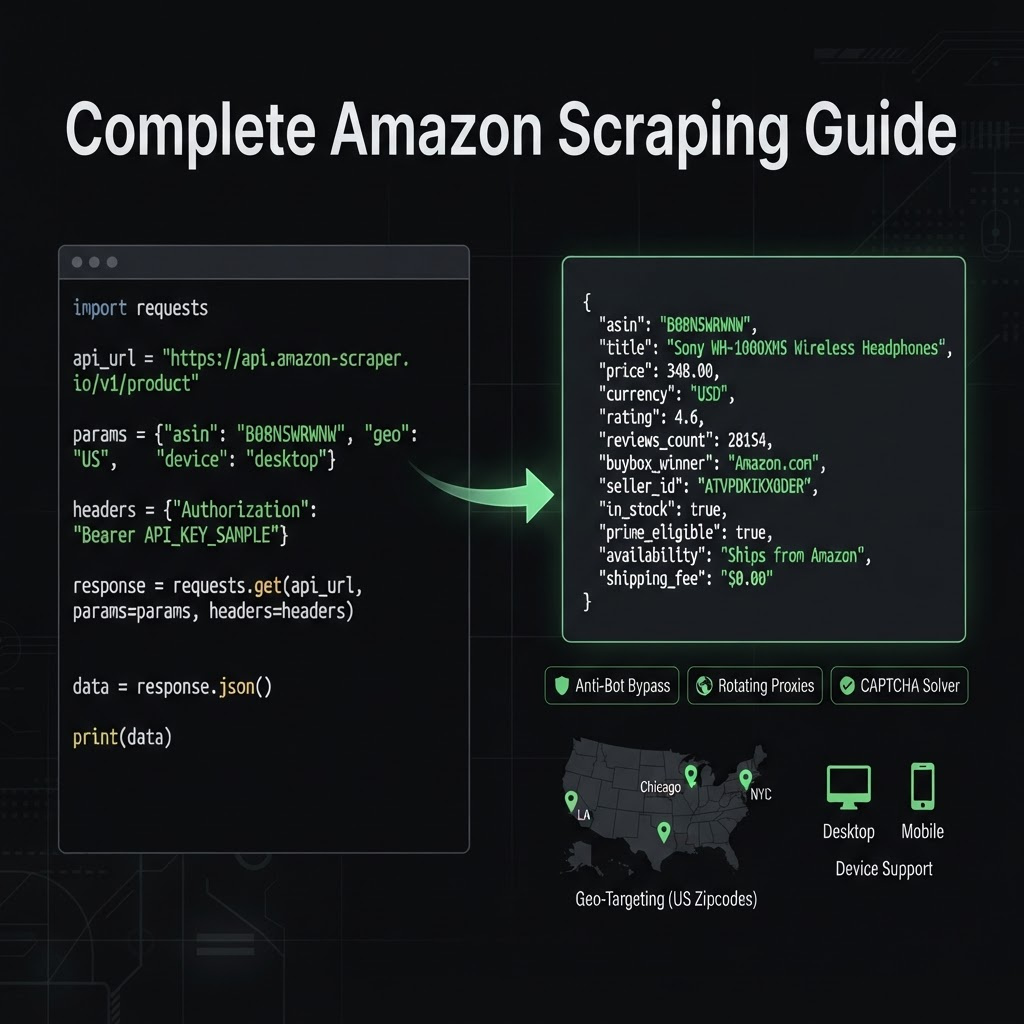
Everything above — WAF bypass, proxy rotation, CAPTCHA solving, and HTML parsing — collapses into a single request when you use a structured data API. Instead of fetching HTML and hunting for CSS classes, you send an ASIN and get clean, typed JSON back. That's exactly what the Asgard Amazon API does:
const res = await fetch(
  "https://api-v2.asgardata.com/amazon/product?" +
  new URLSearchParams({ asin: "B0BLRJ4R8F", country: "us", zip: "10001" }),
  { headers: { "x-api-key": process.env.ASGARD_API_KEY } }
);

const { result } = await res.json();

console.log(result.title);
console.log(result.buybox.price, result.buybox.currency);
console.log(result.rating, result.total_ratings);
No selectors to maintain, no proxy pool to rent, no CAPTCHA to solve. Because the request is geotargeted by country and zip, you also get accurate, location-specific pricing and BuyBox data — the same primitives that power our free price comparison and BuyBox tools.
DIY vs. API: which should you use?
| Factor | DIY (Python + proxies) | Structured API (Asgard) |
|---|---|---|
| Setup time | Hours to days | Minutes |
| WAF / anti-bot | You manage it | Handled for you |
| Proxies & CAPTCHAs | You rent & rotate | Included |
| Parsing | Brittle CSS selectors | Structured JSON |
| Maintenance | Breaks on HTML changes | Stable endpoint |
| Best for | Learning, tiny one-off jobs | Production & scale |
The honest recommendation: build it yourself if you're scraping a handful of products for a personal project and want to learn how it works. The instant it's commercial, ongoing, or needs to hit thousands of products reliably, an API is faster to ship and cheaper to run once you factor in proxies and engineering time.
Frequently asked questions
Is scraping Amazon legal? Scraping publicly available data — product pages, prices, search results — is generally legal, backed by rulings like hiQ v. LinkedIn. Data behind a login, and personal information, is off-limits. Amazon's ToS prohibit scraping, but that mainly binds you once you've logged in and accepted them.
Why do I keep getting blocked when scraping Amazon? AWS WAF is analyzing your IP reputation, headers, and TLS fingerprint. Without rotating residential proxies and consistent, realistic headers, you'll hit CAPTCHAs and blocks quickly. A data API handles all of this for you.
Do I need Selenium or a headless browser? Often not. Amazon product pages render their core data (price, title, rating) in the initial HTML, so a plain HTTP request plus a parser is usually enough — as long as you can get past the WAF. Reserve headless browsers for genuinely JavaScript-dependent flows.
What's the fastest way to scrape Amazon at scale? A structured Amazon data API like the Asgard API. You send an ASIN and get back JSON with price, BuyBox, rating, and more — no proxies, parsing, or WAF handling, and consistent results across regions.
Related reading
- 5 Best Amazon Scraping APIs in 2026 (Speed, Price & Data Accuracy)
- Scraping Amazon Reviews: Why You Shouldn't DIY It
- The best Rainforest API alternatives in 2026 (honest comparison)
Skip the WAF fight and the brittle selectors — get Amazon data as clean JSON:
☞ Amazon API · free tools at rank tracker and price comparison · docs at asgardata.com